Introduction
SparkContext has been available since Spark 1.x (JavaSparkContext for Java), and it used to be an entry point to Spark before introducing SparkSession in 2.0. Creating SparkContext is the first step to using RDD and connecting to a Spark Cluster.
What is SparkContext
Since Spark 1.x, SparkContext is an entry point to Spark and is defined in org.apache.spark.SparkContext package. It is used to programmatically create Spark RDD, accumulators, and broadcast variables on the cluster. Its object sc is the default variable available in spark-shell and can be programmatically created using the SparkContext class.
Note that you can create only one active SparkContext per JVM. You should stop() the active SparkContext before creating a new one.
<img height="319" width="596" src="https://aistudylabs.com/wp-content/uploads/2023/09/image-8.png" />
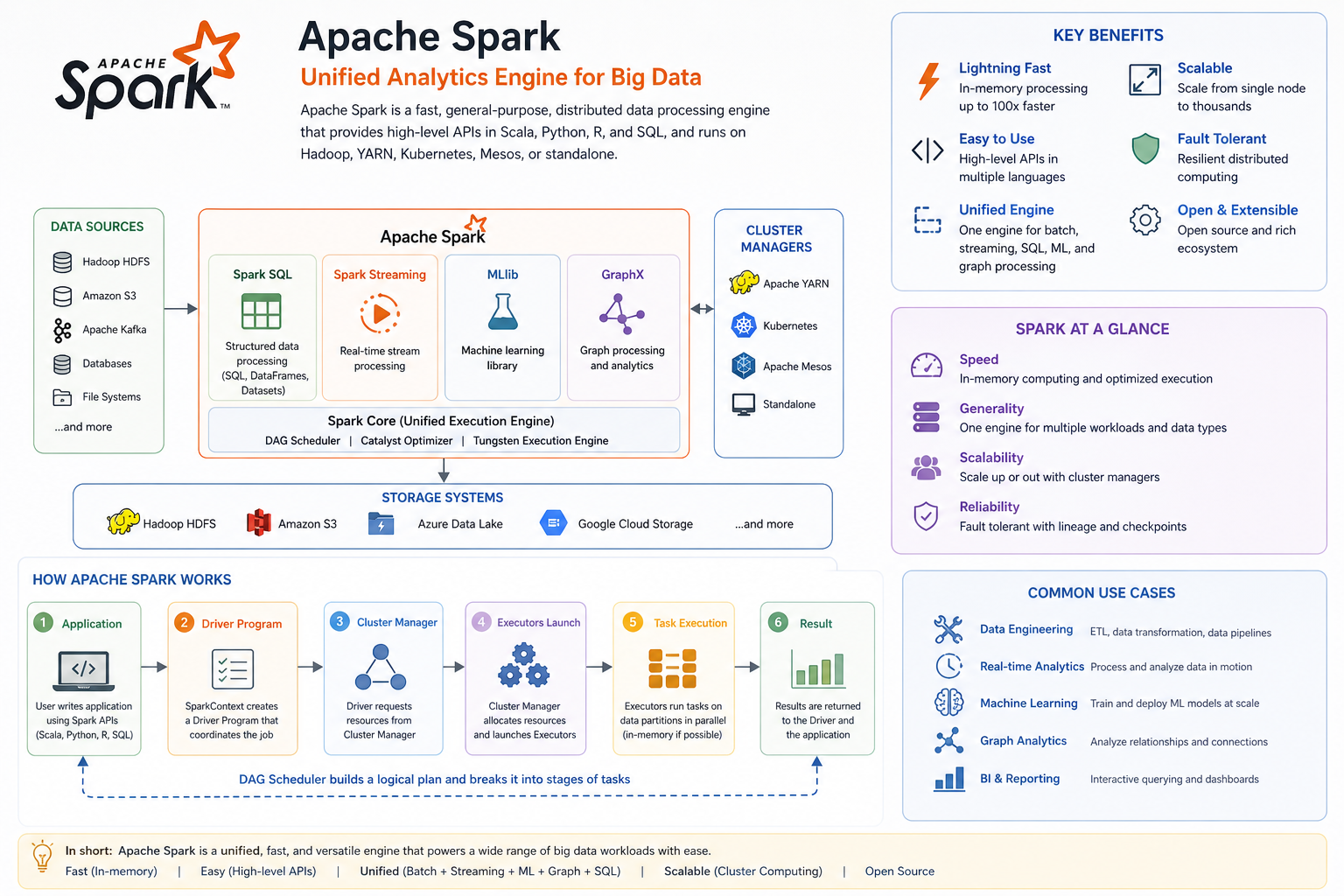
The Spark driver program creates and uses SparkContext to connect to the cluster manager, submit Spark jobs, and know what resource manager (YARN, Mesos, or Standalone) to communicate with. It is the heart of the Spark application.
SparkContext in spark-shell
By default, spark-shell provides an sc object, which is an instance of the SparkContext class. We can directly use this object where required.
// 'sc' is a SparkContext variable in spark-shell
scala> sc.appName
Similar to the Spark shell, in most of the tools, notebooks, and Azure Databricks, the environment itself creates a default SparkContext object for us to use, so you don’t have to worry about creating a Spark context.
Create SparkContext
Since Spark 2.0, we mostly use SparkSession as most of the methods available in SparkContext are also present in SparkSession. SparkSession internally creates the SparkContext and exposes the sparkContext variable to use.
At any given time, only one SparkContext instance should be active per JVM. If you want to create another, you should stop the existing SparkContext (using stop()) before creating a new one.
// Imports
import org.apache.spark.sql.SparkSession

object SparkSessionTest extends App {
  // Create SparkSession object
  val spark = SparkSession.builder()
    .master("local[1]")
    .appName("AIStudyLabs.com")
    .getOrCreate()

  // Access spark context
  println(spark.sparkContext)
  println("Spark App Name: " + spark.sparkContext.appName)
}

// Output:
// org.apache.spark.SparkContext@2fdf17dc
// Spark App Name: AIStudyLabs.com
Stop SparkContext
You can stop the SparkContext by calling the stop() method. As explained above, you can have only one SparkContext per JVM. If you want to create another, you need to shut it down first by using the stop() method and create a new SparkContext.
// SparkContext stop() method
spark.sparkContext.stop()
When Spark executes this statement, it logs the message INFO SparkContext: Successfully stopped SparkContext to the console or to a log file.
Spark 1.x – Creating SparkContext using Scala Program
In Spark 1.x, first, you need to create a SparkConf instance by assigning the app name and setting the master by using the SparkConf static methods setAppName() and setMaster() respectively. Then, pass the SparkConf object as an argument to the SparkContext constructor to create Spark Context.
// Import
import org.apache.spark.{SparkConf, SparkContext}

// Create SparkConf object
val sparkConf = new SparkConf()
  .setAppName("aistudylabs.com")
  .setMaster("local[1]")

// Create Spark context (deprecated)
val sparkContext = new SparkContext(sparkConf)
The SparkContext constructor has been deprecated in 2.0; hence the recommendation is to use a static method getOrCreate() that internally creates SparkContext. This function instantiates a SparkContext and registers it as a singleton object.
// Create Spark Context
val sc = SparkContext.getOrCreate(sparkConf)
Further Reading
For additional learning on this topic, I would recommend reading the following from AIStudyLabs.com.
- Spark Get the Current SparkContext Settings
- SparkSession vs SparkContext
- SparkSession vs SQLContext
- Cannot call methods on a stopped SparkContext in Spark
- Spark – Stop INFO & DEBUG message logging to console?
Summary and Key Takeaways
- SparkContext is a critical component that connects a Spark application to a Spark cluster.
- You can only have one active SparkContext per JVM instance, so always stop the existing one before creating another.
- As of Spark 2.0, SparkSession is preferred over SparkContext for most tasks.
- Interactive environments like spark-shell or notebooks typically provide a default SparkContext or SparkSession.