
Create SparkSession in the PySpark shell
By default, the PySpark shell provides a "spark" object, which is an instance of the SparkSession class. We can directly use this object where required in the shell.
To start your "pyspark" shell, go to the $SPARK_HOME\bin directory and enter the pyspark command. If you have PySpark set in the path, then you can issue the pyspark command from any directory.
Once you are in the PySpark shell, enter the below command to get the PySpark version.
# Usage of spark object in PySpark shell
>>> spark.version
Similar to the PySpark shell, in most tools like Databricks, the environment itself creates a default SparkSession object for us to use, so you don’t have to worry about creating a SparkSession object.
Create SparkSession from the Notebook
Though the PySpark shell creates a SparkSession for you, while you are working on a real-time project from a Jupyter notebook, you need to explicitly create a SparkSession object.
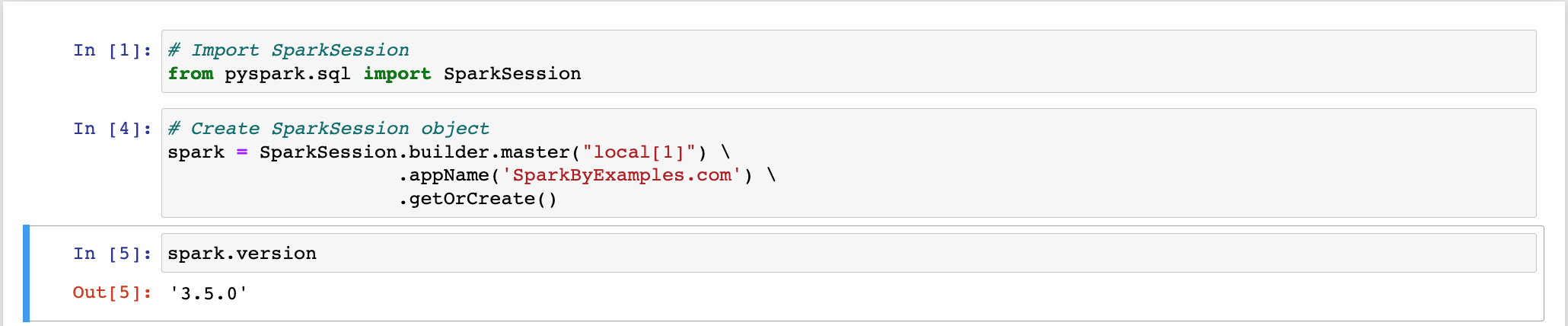
Note that Databricks notebooks by default create a spark object for you.
Create SparkSession from the Spyder or VSCode
Similarly, to create a SparkSession programmatically (in a .py file), use the example below.
# Create SparkSession from builder
from pyspark.sql import SparkSession

spark = SparkSession.builder.master("local[1]") \
    .appName('AIStudyLabs.com') \
    .getOrCreate()

print("Spark Version : " + spark.version)
Here,
master() – If you are running it on the cluster, you need to use your master name as an argument to master(). Usually, it would be either yarn or mesos depending on your cluster setup.
- Use
local[x]when running in Standalone mode. x should be an integer value and should be greater than 0; this represents how many partitions it should create when using RDD, DataFrame, and Dataset. Ideally, x value should be the number of CPU cores you have.
appName() – Used to set your application name.
getOrCreate() – This returns a SparkSession object if it already exists, and creates a new one if it does not.
Create Another SparkSession
You can also create a new SparkSession using the newSession() method of SparkSession. This uses the same app name and master as the existing session.
# Create new SparkSession
spark2 = spark.newSession()
print(spark2)
Get Existing SparkSession
You can get the existing SparkSession using the builder.getOrCreate(), for example.
# Get Existing SparkSession
spark3 = SparkSession.builder.getOrCreate()
print(spark3)
Using Spark Config
If you want to set some configs to SparkSession, use the config() method. We will discuss more details on Spark config in later lessons.
# Usage of config()
spark = SparkSession.builder \
    .master("local[1]") \
    .appName("AIStudyLabs.com") \
    .config("spark.some.config.option", "config-value") \
    .getOrCreate()
Summary and Key Takeaways
In this lesson, we learned about creating and managing SparkSession in various environments like PySpark shell, Jupyter Notebook, and programmatically using Python scripts. We can create SparkSession using SparkSession.builder, access existing sessions, and set configuration options to tailor the Spark environment to our needs.