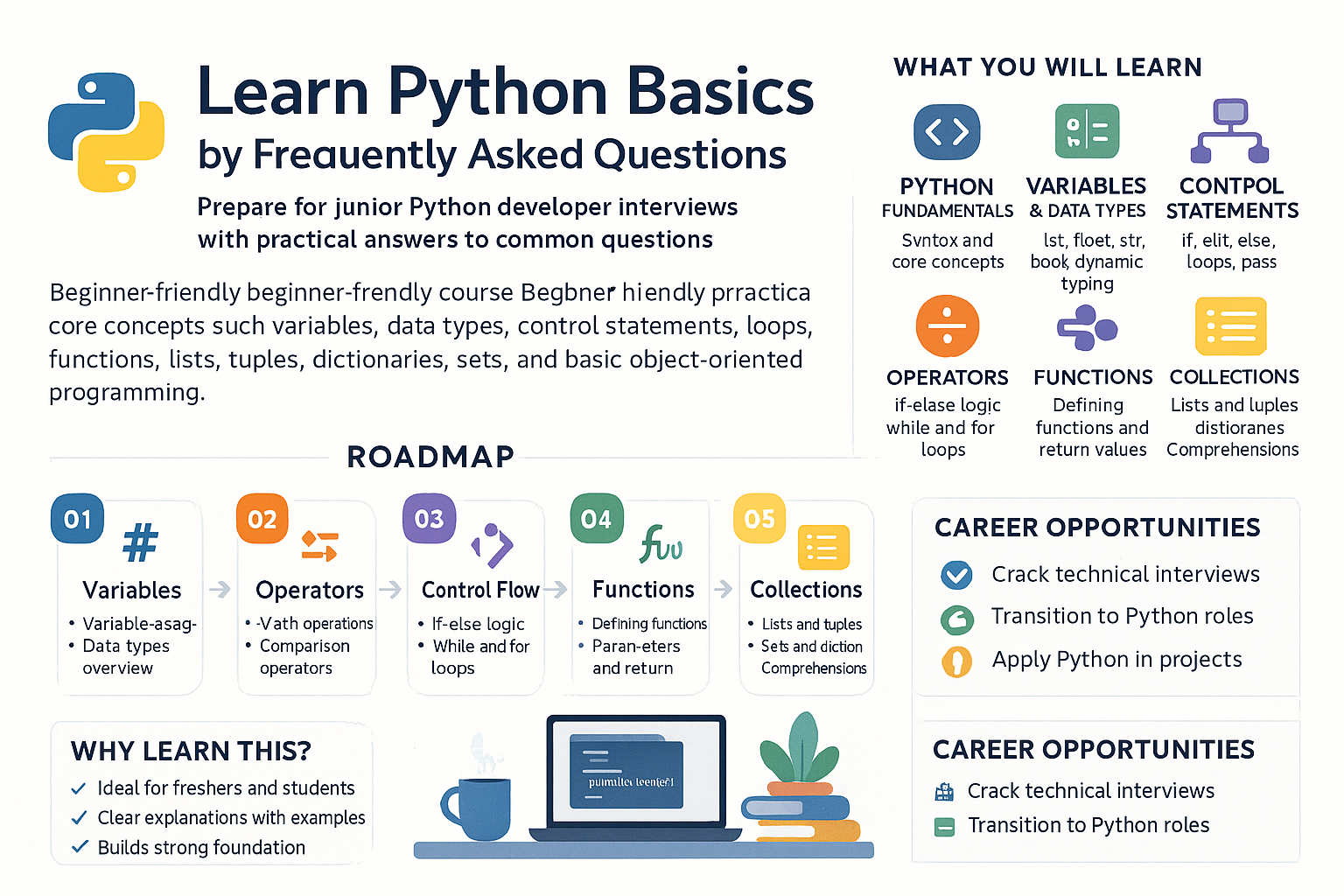
What are variables in Python, and how are they used? Can you provide examples?
In Python, a variable is essentially a symbolic name that acts as a reference to an object in memory. Variables are fundamental to programming because they allow you to store and manipulate data. Unlike some other languages, Python variables do not need an explicit declaration to reserve memory space. The declaration happens automatically when a value is assigned to a variable using the assignment operator =.
Example:
x = 10
name = "Alice"
salary = 50000.0
In the above example, x, name, and salary are variables. x stores an integer, name stores a string, and salary stores a float.
Variables in Python are dynamic, which means they can change type and value anytime. It's important to note that variables in Python are case sensitive, meaning myVar, Myvar, and MYVAR would be different identifiers.
In practice, variables are used to store data that can be referenced and manipulated using the variable name. For example, in a payroll system, you might use variables to store employee information like their ID, name, and salary, which can be updated, retrieved, or used for computation later. Variables make scripts easier to read and maintain by assigning names to data values, thus giving them context. Here is a real-world example:
employee_id = 102
employee_name = "John Doe"
base_salary = 75000.0
bonus_percentage = 0.1

total_salary = base_salary + (base_salary * bonus_percentage)
print(f"Total Salary for {employee_name} (ID: {employee_id}) is {total_salary}")
This example computes an employee's total salary including a bonus. Using variables like base_salary and bonus_percentage makes it easier to understand what's happening in the calculation.
What are the different data types in Python, and how are they used?
Python supports various data types that serve different purposes in a program. The fundamental data types include:
- int: Used for integer values. E.g.,
age = 30 - float: Used for floating-point (decimal) numbers. E.g.,
height = 5.9 - str: Represents text or characters. E.g.,
name = "Anna" - bool: Represents boolean values
TrueorFalse. E.g.,is_active = True - list: An ordered, mutable collection of items. E.g.,
colors = ['red', 'green', 'blue'] - tuple: An ordered, immutable collection of items. E.g.,
coordinates = (10, 20) - dict: A collection of key-value pairs. E.g.,
person = {'name': 'Alice', 'age': 25} - set: An unordered collection of unique items. E.g.,
unique_numbers = {1, 2, 3}
Each data type serves a specific purpose and should be used according to the requirements of the particular data manipulation you need to perform.
Understanding data types is crucial because the operations you can perform in Python depend on the types of the values being manipulated. For example, you can't perform addition directly on a string and an integer without casting. In practical applications, choosing the right data type helps optimize both the runtime efficiency and the readability of the code. Consider a weather data application:
temperature = 23.5 # float
city = "Amsterdam" # string
is_raining = False # boolean
temps_last_week = [20, 21, 23, 22, 20, 18, 19] # list
record_breakers = {'2023-02-20': 25, '2023-02-28': 26} # dictionary
Here, we use a float to capture possibly fractional temperature, a string for the city name, a boolean for quick True/False checks without needing complex condition logic, a list to store days of temperature data, and a dictionary to map dates to specific temperature records.
Explain control flow statements in Python. What are 'if', 'elif', and 'else' used for?
Control flow statements in Python are used to determine the order in which different parts of a program are executed. The primary control flow statements in Python involve conditional statements: if, elif, and else.
-
if: Tests a condition and executes a block of code if the condition evaluates to
True. E.g.,temperature = 25 if temperature > 20: print("It's warm outside.")In this case, the message gets printed since the condition is true.
-
elif: Stands for 'else if', which allows you to check multiple expressions for True and execute a block of code as soon as one of the conditions is met. E.g.,
score = 85
if score >= 90:
    grade = 'A'
elif score >= 80:
    grade = 'B'
else:
    grade = 'C'
print(grade)
Since the score is 85,
gradewill be'B'. -
else: Catches anything which isn’t caught by the preceding conditions. It's a fallback option if no
iforelifconditions are true. E.g.,number = 7 if number % 2 == 0: print("Even") else: print("Odd")This prints "Odd" because 7 is not divisible by 2.
Control flow statements allow programs to 'decide' courses of action based on variable values or outcomes of operations, thus enabling the creation of dynamic and flexible applications. For example, in an e-commerce application, control flow statements can be used to provide discounts based on user roles, purchase history, or shopping cart value:
total_cart_value = 150
discount = 0

if total_cart_value > 100:
    discount = 0.1 # 10% discount
elif total_cart_value > 50:
    discount = 0.05 # 5% discount
else:
    discount = 0 # no discount

final_price = total_cart_value * (1 - discount)
print(f"The final price after discount is: {final_price}")
Without these control flow statements, it would be more challenging to execute conditional logic based on different thresholds and situations.
Describe the different ways to handle loops in Python. Why might you use a 'for' loop instead of a 'while' loop?
Python provides two primary types of loops: for and while. Each of these loops is used to execute a block of code repeatedly, but they are used for different scenarios.
-
for loop: Iterates over a sequence (like a list, tuple, or string) or any other iterable object. It is typically used when the number of iterations is known in advance. E.g.,
fruits = ['apple', 'banana', 'cherry']
for fruit in fruits:
    print(fruit)
The loop prints each fruit in the list.
-
while loop: Executes as long as a specified condition is true. It is used when the number of iterations is not known beforehand, which makes it suitable for scenarios that require the loop to continue running until a particular condition changes. E.g.,
counter = 0
while counter < 3:
    print("Counter:", counter)
    counter += 1
This executes until the counter reaches 3.
A for loop is generally preferred over a while loop when iterating over a set number of elements or when working directly with iterable objects because it is concise and straightforward. A while loop is often used in cases where the loop should persist based on conditions outside a simple iteration; for instance, reading data until EOF or a file condition changes.
Loops allow repetitive tasks to be automated, saving time and reducing errors from manual repetition. The choice between for and while revolves around the certainty of iteration boundaries. Using the previous e-commerce example, you might use a for loop if processing a fixed number of cart items:
cart_items = ['shoes', 't-shirt', 'jeans']
for item in cart_items:
    print(f"Processing item: {item}")
If you needed to wait on an external condition, like confirmation from a user or ongoing input, a while loop might be more appropriate. An automated feedback system that continues processing until the number of feedback entries reaches a predetermined number could easily leverage a while loop:
feedback_count = 0
while feedback_count < 10:
    feedback = input("Enter feedback: ")
    save_feedback(feedback)
    feedback_count += 1
The while loop is crucial when the termination cannot be predicted at compile-time but depends on dynamic runtime conditions.
How are functions defined in Python, and what is the difference between arguments and parameters?
Functions in Python are defined using the def keyword followed by the function name and parentheses containing the function's parameters. Functions are blocks of code designed to perform a particular task and are crucial for creating reusable code.
Example of defining a function:
def greet(name):
    print(f"Hello, {name}!")
In this example, greet is the function name, and name is a parameter.
Parameters are the variables that are listed as part of a function's definition. Arguments are the values that are actually passed to the function when it is called.
Example:
def add(a, b):
    return a + b

sum = add(3, 5)  # Here, 3 and 5 are arguments passed to the function
In this add function, a and b are parameters, while 3 and 5 are the actual arguments provided when calling the function.
Functions enable modular code development and provide a structure that enhances readability and maintainability. They encapsulate logic and increase reusability by reducing repetition and dividing complex problems into manageable sections. For example, in an order-processing system, you might define a function to calculate order totals:
def calculate_total(price, quantity):
    total = price * quantity
    return total

item_price = 25.0
item_quantity = 3

order_total = calculate_total(item_price, item_quantity)
print(f"The order total is: ${order_total}")
This calculate_total function can now be reused for multiple order items and even unit tests, which saves time and reduces errors. By distinguishing between parameters and arguments, you clarify which terms are part of the abstract function template and which terms are the specific instances being used at runtime, aiding understanding and debugging.
How are lists different from tuples in Python, and when should you use each?
Lists and tuples are both sequence data types in Python that can store multiple items. However, they have distinct characteristics:
-
List: Mutable, ordered collections of items. Lists can be modified after their creation (e.g., elements can be added, removed, or changed). Defined with square brackets:
fruits = ['apple', 'banana', 'cherry'] fruits[1] = 'orange' # Modify the list fruits.append('banana') # Add to the list del fruits[0] # Remove from the list -
Tuple: Immutable, ordered collections of items. Once a tuple is created, its values cannot be changed. Defined with parentheses:
numbers = (1, 2, 3)
# Tuples cannot be modified; attempting `numbers[0] = 0` would raise an error
When to use lists: Use a list when you need a collection of items that may change throughout the program execution, such as a shopping cart where items can be added or removed based on user interaction.
When to use tuples: Use a tuple to ensure data integrity when you have a collection of items that should not change, such as fixed geographic coordinates or configuration parameters passed to functions, emphasizing the data's immutability.
Lists and tuples fit different needs based on mutability, resource optimization, and intended use. Lists provide flexibility to dynamically modify stored data and are ideal when the dataset's size or content may vary during execution. Consider an application to manage task lists for a project team:
tasks = ['setup project', 'configure server']
tasks.append('deploy build')
Here, using a list allows additions/removals as tasks are created or complete.
Conversely, tuples offer protection against accidental modification, promote sharing data efficiently between threads, and can be used as keys in dictionaries if their contents are hashable. Using tuples for a function designed for 3D modeling that requires constant dimensions could look like this:
def model_shape(dimensions):
    length, width, height = dimensions
    # Perform operations based on these fixed dimensions

box_dimensions = (2.0, 5.0, 8.0)
model_shape(box_dimensions)
Guaranteeing that box_dimensions remain unchanged during its lifetime prevents errors due to reassignment, ensuring consistent input for the function.
What are dictionaries in Python, and how do they differ from lists and tuples? Provide use cases.
Dictionaries in Python are collections of key-value pairs and are defined using curly braces {}. Unlike lists and tuples, which are indexed by a range of numbers, dictionaries are indexed by unique keys. The keys in a dictionary must be immutable types (like strings, numbers, or tuples) and are associated with values, which can be of any data type.
Example of a dictionary:
person = {
    "name": "Alice",
    "age": 25,
    "city": "New York"
}

print(person["name"])  # Outputs: Alice
person["age"] = 26  # Updates the age key
Dictionaries are mutable, and thus, you can add, remove, or modify key-value pairs, but they are unordered until Python 3.7, where the insertion order is preserved by default.
Differences:
- List: Ordered, mutable sequence of items.
- Tuple: Ordered, immutable sequence of items.
- Dictionary: Unordered (order-preserving from 3.7+), mutable collection of key-value pairs.
Use cases: Dictionaries are perfect when you need to associate unique keys with values, allowing for rapid data lookup, such as mapping user IDs to user details in applications, storing configuration settings where the name of the setting needs direct retrieval, and representing items with attributes.
Dictionaries are well-suited for scenarios where data needs to be accessed quickly via keys rather than numerical indexing. They offer O(1) access time on average for fetching elements. An example involving an online store might use a dictionary to associate product IDs with detailed information:
products = {
    "P001": {"name": "Laptop", "price": 850},
    "P002": {"name": "Smartphone", "price": 600},
    "P003": {"name": "Tablet", "price": 300}
}

product_id = "P001"
product_info = products.get(product_id)
if product_info:
    print(f"Product: {product_info['name']}, Price: ${product_info['price']}")
This usage helps retrieve a product's information in a customer inquiry quickly. Unlike lists that are ideal for sequences or sets of data without the need for quick lookup by a particular identifier, dictionaries are optimized for associating and retrieving data by unique keys, making them indispensable in scenarios involving data lookup or sparse data storage. Meanwhile, tuples' immutability fits their use when list elements should remain constant, such as defining fixed categories or constant sets of options.
Explain error handling in Python. How do exceptions fit into this, and what are a 'try-except' block's benefits?
Error handling in Python is critical for building robust programs that can manage predictable and unpredictable errors gracefully. Python provides a structured way to handle errors using exceptions.
An exception is an error that occurs during the execution of a program. When an exception is raised, the normal flow of the program is interrupted. Python's approach to error handling revolves around the try and except constructs, which allow programs to respond to errors and continue execution.
Example of try-except block:
def divide(x, y):
    try:
        result = x / y
    except ZeroDivisionError:
        print("Cannot divide by zero!")
    except TypeError:
        print("Input must be numbers.")
    else:
        print(f"Result: {result}")
    finally:
        print("Execution complete.")

# Test cases
divide(10, 2)  # Result: 5.0; Execution complete.
divide(10, 0)  # Cannot divide by zero!; Execution complete.
divide(10, 'a')  # Input must be numbers.; Execution complete.
In this example, the try block allows you to test a block of code for errors. The except block enables handling specific exceptions; multiple except clauses can cater to different types of errors. else executes if no exceptions occur, and finally executes regardless of whether an exception was raised or not.
The try-except block is beneficial because it maintains program stability by allowing for error detection and recoveries, such as logging the error and retrying an operation or substituting a default value. For instance, if a financial system fails to process a particular transaction due to unexpected input, instead of crashing, it can log the error and notify the user for correction:
def process_transaction(amount):
    try:
        if amount < 0:
            raise ValueError("Negative amount not allowed.")
        print(f"Processing transaction of amount: {amount}")
    except ValueError as e:
        print(f"Error: {e}")

process_transaction(-100)
In this case, the custom handling of ValueError allows the business logic to prompt the user for valid input instead of outright failure. Exception handling equips developers with a mechanism to embed error resilience and maintain the flow of programs, reducing unwanted termination and enhancing the end-user experience. Overall, exception handling bolsters programs against runtime anomalies, transforming potential crash scenarios into controlled and predictable flows.
Describe file handling operations in Python. What are the benefits of using context managers with 'with' versus standard open/close operations?
File handling in Python is about reading from and writing to files. This is performed using built-in functions like open(), which provides a file object. The open() function takes at least two arguments: the file name and the mode in which to open the file. Common modes are 'r' for read, 'w' for write (overwrites file), 'a' for append, and 'b' for binary mode.
Example without the with keyword:
file = open('example.txt', 'r')
content = file.read()
file.close()
In this example, the file is opened and read. However, it is essential that the file is eventually closed using the close() method to free up system resources.
Using context managers via the with keyword makes file handling more Pythonic and safer:
with open('example.txt', 'r') as file:
    content = file.read()
In this scenario, with handles opening and closing the file automatically, ensuring that the file is closed properly even if an exception occurs during file operations.
The use of context managers (via with) is beneficial for resource management because it abstracts the setup and teardown logic, leading to cleaner, more maintainable code. It significantly reduces the probability of errors related to forgetting to close a file or handling files improperly under exceptional conditions. In practice, consider a logging example where a program writes logs to a file constantly:
def log_message(message):
    with open('log.txt', 'a') as log_file:
        log_file.write(message + '\n')

log_message("Program started")
log_message("Performing a critical operation")
Here, every log message is appended to a file only if the previous writes were successful, and regardless of the outcome, the file is closed automatically, safeguarding against resource leaks. Regularly using context managers elevates the robustness of file I/O operations to handle high demands without becoming a source of errors or performance bottlenecks due to mishandling of open descriptors, freeing developers from resource management intricacies and focusing on logic. It epitomizes Python’s idiomatic approach, which encourages clean, understandable, and error-resistant code.
What is basic object-oriented programming (OOP) in Python, and how do classes enhance your ability to organize and reuse code?
Object-oriented programming (OOP) is a programming paradigm centered on objects rather than actions and data rather than logic. Python, as an object-oriented language, allows the creation of reusable code through classes and objects.
A class is a blueprint for creating objects (instances). It encapsulates data for the object and methods to manipulate that data. To define a class in Python, the class keyword is used.
Example:
class Animal:
    def __init__(self, name, species):
        self.name = name
        self.species = species

    def speak(self):
        return f"{self.name} makes a sound."

# Creating an instance of Animal
cat = Animal("Whiskers", "Cat")
print(cat.speak())  # Outputs: Whiskers makes a sound.
In this example, Animal is a class with attributes and methods. __init__ is a constructor method that initializes new instances of the class. Methods like speak define behavior associated with the class.
Classes help encapsulate functionality and state in a single unit, promoting code reuse and organization by packaging data and operations. They also facilitate inheritance, where new classes can inherit and extend existing class behavior, enabling polymorphism, where a single interface can interact with instances of multiple class types.
In practical use, classes promote code organization by logically grouping data and behavior that belong together, lowering coupling and fostering easier refactoring. Consider a software modeling a vehicle inventory:
class Vehicle:
    def __init__(self, brand, year):
        self.brand = brand
        self.year = year

    def start_engine(self):
        return f"The {self.brand} engine has started."

class Car(Vehicle):
    def __init__(self, brand, year, model):
        super().__init__(brand, year)
        self.model = model

    def start_engine(self):
        return f"The {self.brand} {self.model} engine has started."

my_car = Car("Toyota", 2019, "Corolla")
print(my_car.start_engine())  # Outputs: The Toyota Corolla engine has started.
Classes like Vehicle and Car allow organized representation and behavior sharing, reducing the need for repetitive code structures and promoting a clear hierarchy. By leveraging inheritance, Car can utilize and extend Vehicle's properties and methods. These practices support application scalability and adaptability by crafting a modular system that reacts well to new requirements, such as introducing other vehicle types without extensive code restructuring. OOP principles uphold maintainable design by ensuring continuity, modularity, and flexibility.