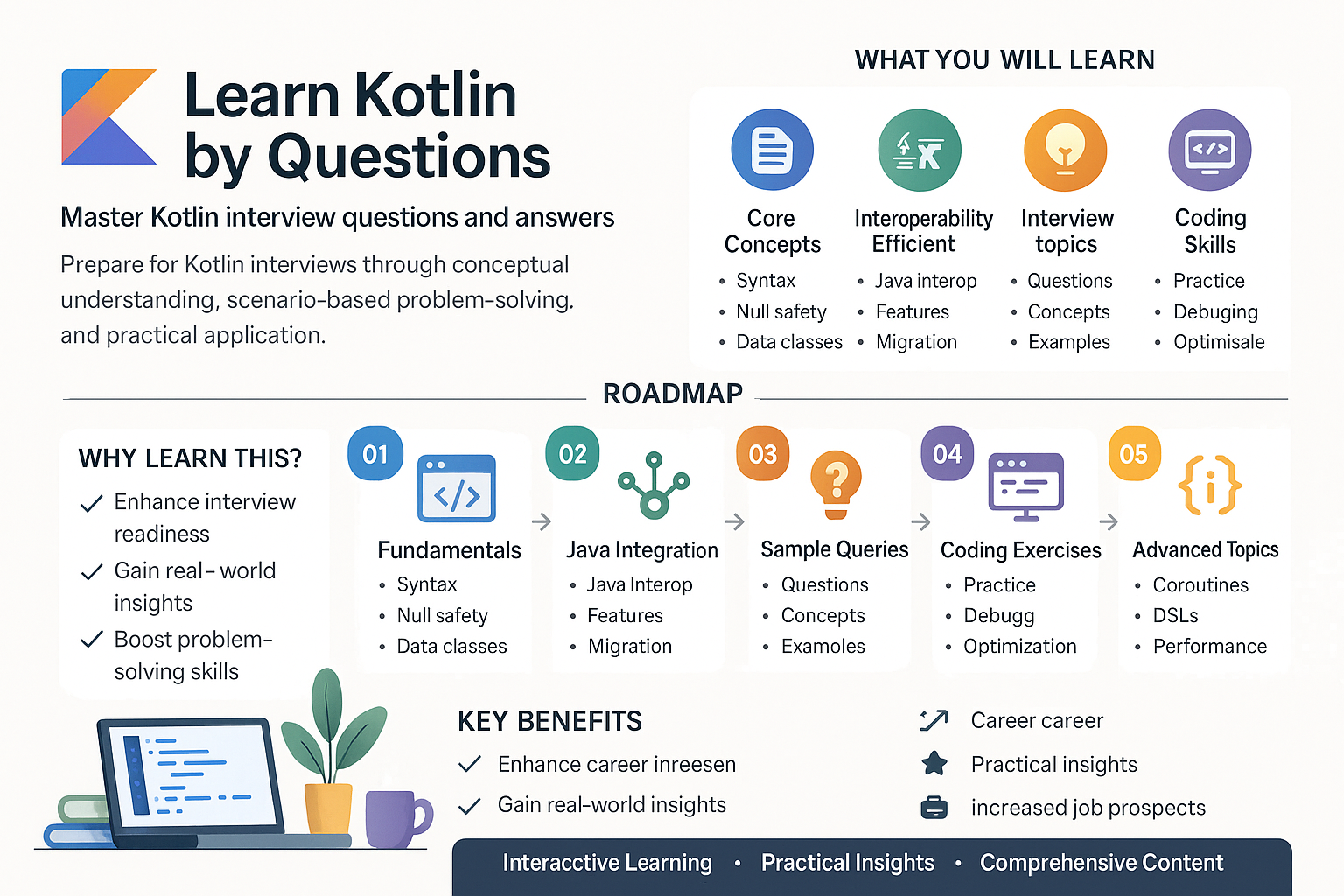
What are the primary differences between Kotlin and Java, specifically in the context of Android development?
Kotlin is a modern, statically typed programming language that targets the JVM, Android, JavaScript, and Native. It is entirely interoperable with Java, meaning you can call Java code from Kotlin and vice versa. In the Android ecosystem, Kotlin offers several advantages over Java:
- Null Safety: Kotlin's type system is designed to eliminate null pointer exceptions from your Android code. Kotlin differentiates between nullable and non-nullable data types, reducing the risks of null pointer exceptions.
- Expressive Syntax: Kotlin’s syntax is more concise than Java’s. This brevity leads to less boilerplate code, making Android applications faster to develop and easier to read.
- Extension Functions: Kotlin allows developers to extend existing classes with new functionality without having to inherit from them, which facilitates adding utility functions in an elegant way.
- Coroutines: Kotlin provides native support for asynchronous programming through coroutines, which are highly efficient and easy to manage compared to Java's thread-based approach.
- Higher-Order Functions and Lambdas: Kotlin treats functions as first-class citizens, making it easier to implement patterns that require flexibility, like callbacks or event listeners.
These features make Kotlin an excellent choice for Android development, offering more productivity and cleaner code.
Kotlin was introduced as a more modern programming language to address some of the verbosity and complexity issues present in Java, especially when developing Android applications. For instance, handling nullability in Java requires lots of boilerplate code, constant checking, and using annotations that can clutter the code. In contrast, Kotlin handles null safety at the language level.
A typical example of null safety in Kotlin is:
var name: String? = null
println(name.length)  // Compile-time error
Contrast this with Java, where similar code could lead to a NullPointerException. These features promote a clean and efficient way to manage Android app development, reflecting more reliable and maintainable codebases.
How do you handle asynchronous operations in Kotlin for Android development, and why are Kotlin coroutines preferred over traditional AsyncTask?
In Kotlin, asynchronous operations are typically handled using coroutines, which provide a powerful way to write asynchronous code that is more readable and easier to understand than traditional methods like AsyncTask or Handlers.
Coroutines help in writing main-safe code, which means they allow complex operations without blocking the main thread. Here is why they are preferred over AsyncTask:
- Simpler Scoping and Context Management: Coroutines are scope-managed, meaning their lifecycle can be tied to a
CoroutineScopesuch as an Activity or Fragment’s lifecycle in Android, preventing typical memory leaks associated withAsyncTask. - Conciseness and Readability: Coroutines use structured concurrency principles, allowing developers to write asynchronous code just like synchronous code.
- Improved Performance: Coroutines are lightweight compared to threads, as they utilize the existing threads more economically and do not require system-level resources to create.
Here's a simple example using coroutines:
import kotlinx.coroutines.*

fun fetchDataFromNetwork() {
    GlobalScope.launch(Dispatchers.Main) {
        val result = withContext(Dispatchers.IO) {
            // perform network call or long-running task
            return@withContext "Data fetched"
        }
        println(result)  // Main UI update
    }
}
In Android development, using coroutines means you can avoid the callback hell and write cleaner, more maintainable and easy-to-understand asynchronous code.
AsyncTask has been deprecated since its limitations in resource management and lifecycle handling became more prominent compared to newer asynchronous frameworks like coroutines. With coroutines, developers can achieve the same tasks more fluidly without managing thread creation or callbacks manually.
For example, in an Android app where you fetch data from a network API, using AsyncTask would involve creating a background thread, handling onPreExecute/onPostExecute callbacks, and ensuring proper thread termination – all of which are handled gracefully and more cleanly with coroutines. Thus, coroutines not only simplify the asynchronous programming model but also lead to fewer bugs and more stable code.
What role do extension functions play in Kotlin for Android development, and how can they enhance the functionality of existing classes?
In Kotlin, extension functions allow developers to add new functions to existing classes without modifying their source code. This feature is crucial for extending the functionality of Android framework classes or any libraries you use without subclassing or using design patterns like Decorator or Adapter unnecessarily.
For Android development, extension functions enhance readability and reusability. For instance, you can write an utility function to show a Toast message across your app:
fun Context.showToast(message: String, duration: Int = Toast.LENGTH_SHORT) {
    Toast.makeText(this, message, duration).show()
}
With this extension function, you can call showToast directly on any Context object (like Activity or Fragment), simplifying repeated actions across the app:
class MainActivity : AppCompatActivity() {
    override fun onCreate(savedInstanceState: Bundle?) {
        super.onCreate(savedInstanceState)
        setContentView(R.layout.activity_main)
        showToast("Welcome to Kotlin Development!")
    }
}
Extension functions are compiled into static methods in the class they extend, so they do not add runtime overhead, making them highly efficient.
Modern Android apps aim to be efficient and have clean code. Extensions functions offer a way to externalize utility methods out of specific class definitions and make them available globally where needed. This is very useful for shared actions that don't necessarily require modifications to the UI or business-layer classes directly.
For instance, in creating a cross-application utility in Android that formats a date consistently throughout the app, you can use extension functions for the Date class to keep this logic centralized yet externally applicable. Such functionality helps maintain a clean project architecture by encouraging code reuse and improving project modularity – core principles of stable and scalable Android app development.
Explain the usage and benefits of data classes in Kotlin, particularly in Android application development.
Data classes in Kotlin are designed to hold data. They minimize boilerplate code by automatically generating methods like equals(), hashCode(), and toString() as well as copy() and componentN() functions for all properties. This makes them particularly useful in Android development when dealing with model classes.
For instance, consider a simple data model to represent users:
data class User(val name: String, val age: Int)
Compared to a traditional Java POJO, this Kotlin data class is more concise and maintains readability. When such objects are passed through activities and fragments in Android, the autogenerated functions are very helpful:
- Immutability: Since data classes can have properties defined via constructor parameters, using
valfor these parameters ensures immutability, preventing unexpected changes. - Destructuring Declarations: Data classes come with built-in support for destructuring, which means you can unpack properties efficiently:
val user = User("Ada", 30)
val (name, age) = user
println("Name: $name, Age: $age")
- Copy Functionality: For scenarios where a slight modification of an object is needed, data classes offer a
copymethod:val updatedUser = user.copy(age = 31).
These benefits ensure a succinct, efficient way to handle data models within Android applications, contributing to cleaner code and reduced possibility of errors.
In Android development, model classes are essential for storing and managing data. Traditional Java classes require a lot of boilerplate code to achieve this—constructors, getters, setters, hash codes, and more—which can make the class long and cumbersome. Kotlin data classes automatically provide these functionalities without verbose definitions.
In practical scenarios, such conciseness allows devs to focus more on business logic or UI design without being bogged down by repetitive code, enabling faster and more efficient application development. By keeping models clean and compact, developers can ensure a robust and maintainable codebase, core components of quality Android app development.
What are sealed classes in Kotlin and how do they contribute to effective state management in an Android application?
Sealed classes in Kotlin are a powerful feature used to represent restricted class hierarchies, useful in modeling closed sets of values. Unlike regular classes, sealed classes allow the developer to define a set of subclasses that only exist within it, thus ensuring exhaustive checks when used in when expressions.
In Android development, sealed classes are often used for effective state management of UI components. Consider a network request state in an Android application:
sealed class NetworkState {
    object Loading : NetworkState()
    data class Success(val data: List<String>) : NetworkState()
    data class Error(val exception: Throwable) : NetworkState()
}
With a sealed class structure, you can efficiently handle state transitions using a when expression.
fun handleNetworkState(state: NetworkState) {
    when (state) {
        is NetworkState.Loading -> showLoadingIndicator()
        is NetworkState.Success -> displayData(state.data)
        is NetworkState.Error -> showError(state.exception)
    }
}
Benefits of using sealed classes for state management include:
- Exhaustiveness: A
whenexpression on sealed classes is exhaustive. The Kotlin compiler checks that all possible subclasses of the sealed class are covered, reducing runtime errors. - Flexibility and Encapsulation: Subclasses are encapsulated, meaning you can control how the states are used and managed without exposing unnecessary implementation details.
This structured and type-safe mechanism massively helps with robust state management in complex Android applications.
State management is pivotal in Android applications, especially when dealing with complex UI rendering based on business logic. Traditional approaches can be cumbersome and error-prone due to lacking compile-time checks. With sealed classes, states can be handled explicitly and exhaustively.
For example, consider an app with multiple loading states (initialization loading, data refreshing, etc.). Sealed classes allow a clear definition of each state, and Kotlin's when ensures that switching between these states is well-managed and validated at compile time—significantly minimizing bugs and ensuring a seamless user experience. Coupling sealed classes with architecture components like ViewModels or LiveData further enhances state representation and management in Android applications, fostering better app architecture.
How does Kotlin facilitate functional programming principles in Android development, and what advantages does this offer?
Kotlin supports various functional programming principles, enhancing Android development with more expressive, concise, and safer code structures. Here are ways Kotlin implements functional programming:
- Higher-Order Functions: These are functions that take other functions as parameters or return them. In Android, higher-order functions are particularly useful for setting listeners or callbacks, such as:
fun performOperation(x: Int, y: Int, operation: (Int, Int) -> Int): Int {
    return operation(x, y)
}

val result = performOperation(5, 3) { a, b -> a + b }
-
Immutability and Statelessness: By encouraging the use of immutable data—often through
valdeclarations—Kotlin improves code predictability and reduces side effects, making it easier to manage states across Android's lifecycle. -
Lambdas: Kotlin's support for lambda expressions allows for succinct function expressions, reducing verbosity and boilerplate code in activities and fragments, especially for UI listeners:
button.setOnClickListener { view ->
    view.visibility = View.GONE
}
- Collections and Sequences: Kotlin provides expressive collection handling that adheres to functional programming conventions with methods like
map,filter, andreduce, facilitating efficient data transformations in Android applications.
val squaredNumbers = listOf(1, 2, 3, 4).map { it * it }
The main advantage of these functional programming capabilities in Kotlin for Android development is the enhanced ability to write concise, clear, and bug-resistant code, critical for mobile applications where responsiveness and user experience are paramount.
Functional programming principles help developers write code that's easier to understand, maintain, and less prone to bugs due to the minimization of mutable state and side effects. In the context of Android development, these principles translate to better management of complex UI states and asynchronous data flows.
For example, functional collection operations can help avoid verbose loops and simplify data processing. A common use case is filtering a list of contacts based on specific criteria within an Android app. Using Kotlin's functional methods, such a task is accomplished with minimal effort and maximum clarity:
val contacts = listOf("John", "Jane", "Doe")
val filteredContacts = contacts.filter { it.startsWith("J") }
Such features not only improve readability but also reduce potential errors, allowing developers to harness the full power of Kotlin in crafting robust and responsive Android applications.
Describe the significance of the ViewModel and LiveData architecture components in managing UI-related data in Kotlin for Android applications.
The ViewModel and LiveData are part of Android's Architecture Components, designed to help build robust and efficient Android applications. Using Kotlin, these components play crucial roles in managing UI-related data in a lifecycle-aware manner.
- ViewModel: This component is designed to store and manage UI-related data in a lifecycle-conscious way. It survives configuration changes, such as screen rotations, and thus eliminates the common problems associated with losing UI state. ViewModel stores the app's UI data in a way that is not affected by configuration changes.
For instance, using Kotlin:
class MyViewModel : ViewModel() {
    private val _name = MutableLiveData<String>()
    val name: LiveData<String> get() = _name

    fun updateName(newName: String) {
        _name.value = newName
    }
}
- LiveData: This is an observable data holder class that respects the lifecycle of other app components, such as activities, fragments, and services. LiveData notifies observers when the lifecycle state changes from an inactive to an active state, updating UI components only once they are in the foreground.
class MainActivity : AppCompatActivity() {
    private lateinit var viewModel: MyViewModel

    override fun onCreate(savedInstanceState: Bundle?) {
        super.onCreate(savedInstanceState)
        setContentView(R.layout.activity_main)

        viewModel = ViewModelProvider(this).get(MyViewModel::class.java)

        viewModel.name.observe(this, Observer { newName ->
            // Update UI
            textView.text = newName
        })
    }
}
The combination of these components helps manage data persistence and UI updates in a controlled and efficient manner.
UI-related data persistence and lifecycle management are critical challenges in Android app development. Traditionally, data management across configuration changes like screen rotations has been complex and error-prone. The ViewModel component allows the app to separate UI data from UI controller logic, which persists data across configuration changes and helps in building modular and testable architectures.
LiveData works in conjunction with ViewModel to provide lifecycle-aware data management. It ensures data updates happen only when UI components are active, thus preventing memory leaks and unnecessary processing. This pattern not only helps in better resource management but also results in smoother user experiences.
In real-world applications, utilizing ViewModel and LiveData reduces the burden of manual lifecycle handling, allowing developers to focus more on implementing features instead of dealing with lifecycle-related coding, thereby increasing development efficiency and code reliability.
In an Android application using Kotlin, how would you handle dependency injection and what are the advantages of using Koin over Dagger?
Dependency injection (DI) is a pattern that promotes loose coupling in software architectures by injecting dependencies into a class rather than having the class manage them directly. In Android, DI is crucial for managing class dependencies and lifecycle.
Koin and Dagger are popular DI frameworks used in Android development, but they differ significantly in implementation and complexity:
- Koin: Koin is a lightweight DI framework specifically built for Kotlin. It uses Kotlin DSL to declare and inject dependencies without the need for code generation or proxies. This makes Koin more straightforward and quicker to set up.
Here's how you might set up Koin in Kotlin:
// Define a module
val appModule = module {
    single { NetworkService(get()) } // get() resolves dependencies
    factory { ViewModel(get()) }
}

// Start Koin
startKoin {
    androidContext(this@MyApp)
    modules(appModule)
}

// In Activity/Fragment
val viewModel: ViewModel by viewModel()
- Dagger: Dagger provides compile-time dependency injection, which is more efficient in terms of runtime performance. However, it involves more complex setup with annotations and code generation, which can increase the initial development overhead.
Advantages of Koin over Dagger:
-
Simplicity: Koin's setup is more straightforward due to its lack of advanced configuration. It uses Kotlin's DSL, which looks cleaner and is easier to understand, especially for developers who are new to DI.
-
No Code Generation: Unlike Dagger, Koin does not perform dependency graphs at compile time, which means it doesn't add to the build time as Dagger might with its annotation processing.
-
Flexibility: Koin provides a flexible DSL for both singleton and factory instances, reducing boilerplate and increasing readability.
Overall, the choice between Koin and Dagger could also depend on project needs—Koin is excellent for medium to small projects due to its simple and pragmatic nature, while Dagger might be preferred for complex applications where performance is a critical concern due to its compile-time verification.
Dependency injection (DI) frameworks are essential in managing object lifecycles and dependencies in Android applications, particularly as applications scale in complexity. Koin, being Kotlin-based, uses Kotlin's language features effectively to make dependency injection intuitive and seamless.
For instance, when integrating a network library in an Android app, Koin uses a module to declare dependencies neatly. This not only reduces boilerplate code but also allows for centralized management of all dependencies, drastically simplifying testing and refactoring.
In contrast, Dagger's compile-time injection results in better runtime performance and is favored in large-scale applications where performance optimization is crucial. However, Koin's reliance on runtime reflection in practical terms often provides enough efficiency without sacrificing simplicity, making it a preferred choice in many Kotlin projects due to its developer-friendliness and ease of initial integration.
How does Kotlin's null safety feature help prevent null pointer exceptions in Android applications, and what are some best practices?
Kotlin's null safety is a prime feature that helps minimize the risk of NullPointerExceptions, a common issue in Java-based Android applications. Kotlin differentiates between nullable and non-nullable data types, ensuring compile-time checks to prevent null pointer exceptions whenever possible.
-
Nullable Types: In Kotlin, you can explicitly declare a variable as nullable by appending a
?to its type. For instance,var name: String? = nullmeansnamecan hold a null value. Non-nullable types, however, likevar age: Int = 30, cannot hold null values, ensuring safer code design. -
Smart Casts and Safe Calls: Kotlin allows you to perform operations on nullable types using safe calls (
?.). If the variable is non-null, the operation proceeds; if it is null, the chain returns null:
val length = name?.length
- Elvis Operator: The Elvis operator (
?:) provides a default value when the expression on its left is null:
val result = name ?: "No Name"
- Null Assertion: With the
!!operator, you can assert a value is non-null, which might throw an exception if this is not true but should be used cautiously.
println(name!!.length)
- Safe Cast: A safe cast (
as?) returns null if the cast is unsuccessful, rather than throwing a ClassCastException.
val stringOrNull: String? = something as? String
Best Practices:
-
Avoid Unnecessary Nullability: Mark variables as nullable (
String?) only if they can genuinely be null. By default, consider using non-nullable types. -
Use Safe Calls and the Elvis Operator: Ensure null checks are handled smoothly in the code.
-
Opt for Late Initialization: Use
lateinitfor variables that will be initialized after their declaration but before use, typically in dependency injection scenarios. -
Control Flow with Smart Casts: Leverage
ifchecks and smart casts in a seamless way for null checks.
By incorporating these practices, Kotlin helps developers prevent runtime null pointer exceptions, resulting in more robust, stable Android applications.
Null safety plays a crucial role in ensuring Android applications are stable and user-friendly. In traditional Java applications, null pointers can lead to crashes, which result in a poor user experience and increased maintenance effort. Kotlin’s approach to nullability reduces these risks considerably.
Consider a situation in an Android app where you fetch user information from a backend API. Often, certain fields might be optional (nullable). Implementing null safety via safe calls or the Elvis operator ensures these optional fields don’t disrupt the flow if they are absent, thus providing a graceful error handling mechanism:
val userInfo: UserInfo? = getUserInfoFromApi()
val email = userInfo?.email ?: "Email not available"
Such features help maintain a clean and reliable codebase, where unexpected null-related crashes can be effectively avoided, improving both development efficiency and software quality.
What is the primary purpose of companion objects in Kotlin, and how do they differ from static methods in Java?
In Kotlin, companion objects serve as a construct to hold static methods and properties within a class, thus mimicking Java's static methods. Every class in Kotlin can have one companion object, serving as a holder for items to which class-level scope needs to be applied.
- Declaration: Companion objects are declared within a class using the
companionkeyword:
class MyClass {
    companion object {
        const val TAG = "MyClass"

        fun create(): MyClass = MyClass()
    }
}
In this code snippet, TAG and create() are accessible directly from the class level as MyClass.TAG and MyClass.create().
- Execution Context: Companion objects are part of their containing class, unlike Java's static members which belong to a class itself independently. This contextual containment allows companion objects to implement interfaces and extends classes, which is not possible with Java static methods:
interface Factory<T> {
    fun create(): T
}

class MyClass {
    companion object : Factory<MyClass> {
        override fun create(): MyClass = MyClass()
    }
}
Advantages Over Java Static Methods:
-
Flexibility: As seen above, companion objects can implement interfaces or even extend another class, offering more leverage than what static members in Java propose.
-
Interoperability: While Kotlin supports Java interoperability and can call Java static methods, companion objects are a more idiomatic approach within Kotlin files.
-
Customization: Companion objects allow developers to perform setup work or manage resource initialization neatly coupled with the class structure.
While they serve analogous to static methods in Java, companion objects offer additional flexibility and better integration suited to Kotlin’s paradigm, enhancing code organization and modularity in applications.
The utility of companion objects in Kotlin, compared to Java's static functions, provides a more modern, flexible approach to managing utilities or constants related to a class. Static functions in Java share the class namespace and cannot interact with class instances, limiting flexibility and potential reusability.
Consider an Android application where global error handlers or log constants are essential. Managing these through companion objects neatly encapsulates functionality close to related logic, reducing scattered static utilities and improving readability and maintainability. By localizing related static-like functionalities, companion objects effectively provide a more structured and maintainable code organization model rooted in Kotlin’s design patterns.
How does Kotlin's Type Inference system work, and what benefits does it offer in Android development?
Kotlin's type inference system enables the compiler to automatically deduce the types of expressions without the need for explicit type guidance. It leverages context and the expressions to ascertain types, leading to more concise and readable code, especially beneficial in situations where verbose type declarations would clutter logic.
How It Works:
- Variable Declaration: With
valorvar, if the variable's type can be inferred from the right-hand assignment, explicit type is not necessary:
val name = "Kotlin"  // Type inferred as String
val age = 21           // Type inferred as Int
- Function Return Type: If a function's return type can be completely inferred from its declaration, Kotlin infers it unless the function is recursive:
fun add(x: Int, y: Int) = x + y // Return type inferred as Int
Benefits in Android Development:
-
Readability and Conciseness: The reduced need for type declarations shortens code length, improving readability. Particularly with inner structures like lambdas and builders used in UI or networking calls, type inference greatly declutters iterative code patterns.
-
Reduced Boilerplate: Developers can define complex constructs without extensive type declarations, speeding up initial development time and reducing the chance of type-related errors.
-
Easy Refactoring: Changing types in large codebases is less daunting, as type inference naturally adjusts datatype expectations, massively aiding adaptive development practices.
Despite the benefits, developers should remain attentive to clarity, ensuring inferred types are predictable and maintaining explicit types where needed—like public APIs—to keep code maintainable and self-explanatory.
Type inference simplifies code by letting the compiler do a major part of the work in determining types, reducing the cognitive load on developers in ensuring type consistency manually throughout the codebase.
In an Android application, this becomes evident with UI manipulation where extensive use of data binding and lambda expressions is common. When setting up adapters or modifying UI properties, Kotlin's type inference reduces verbosity without sacrificing clarity. For instance, looping through mapped UI elements or setting click listeners involves many inner expressions; type inference allows developers to focus on behavior logic rather than syntactic overhead, thus streamlining development processes and enhancing expressivity.
Why is Kotlin's val and var distinction important in Android development, and how should you decide which to use?
In Kotlin, val (value) and var (variable) are significant keywords used to declare properties. They essentially communicate the mutability characteristics of a property, influencing how data is managed, which is particularly important in Android development.
- Val: Declaring a property using
valmakes it read-only (immutable). Once initialized, its reference cannot change, promoting immutability which is vital in creating thread-safe and predictable code. Immutability is a cornerstone in modern Android development, crucial for managing data consistency throughout an app’s lifecycle and preventing state-related bugs:
val maxUsers: Int = 10 // Immutable
- Var: In contrast,
varallows for a mutable variable, indicating the value can change during runtime. Used where user interaction or data modifications occur, such as updating UI fields or managing user input:
var userName: String = ""
Deciding Which to Use:
-
Use
valwhenever possible: Opting forvalelevates predictability and code safety by ensuring the property is assigned once and doesn’t change inadvertently, which is integral for any global constant values, configuration settings, or dependency services that do not change. -
Resort to
varwhen you need to manage a dynamic state: Interactive features in Android, like editable fields or real-time connectivity updates, may require mutable state management, justifyingvar. -
Consider Threading Contexts: In multi-threaded paradigms where state changes must be controlled or atomic operations require consistent predictability, favor
valfor thread safety unless explicit mutability is necessary and safely managed.
By deliberately choosing between val and var, developers can write Android applications that are logically sound and highly maintainable, aligning with ergonomic principles that promote secure and efficient coding practices.
Kotlin offers significant improvements over Java’s coding practices, especially visible through its approach to immutability with val and var. In Android applications where performance and reliability are key, understanding the difference helps developers manage lifecycle events and maintain consistent object states.
Immutable objects (val) are excellent for scenarios like holding configuration details or creating singleton instances managed within an app, ensuring controlled environmental states. Conversely, mutable properties (var) enable dynamic interactions, such as user-generated content editing. Consider a user profile screen where user input fields use var for capturing potential data updates, interspersed with UI components relying on val for consistent state representation.
Thus, the distinction fundamentally aids in preventing synchronization issues in concurrency and ensures robust Android development with coherent lifecycle management.
How does Kotlin's coroutine support enhance concurrency in Android applications compared to Java's traditional threading model?
Kotlin's coroutines provide a more efficient and easy-to-use alternative to Java’s traditional threading model, offering a way to write asynchronous and concurrent code that is simpler, more intuitive, and less error-prone.
Key Enhancements of Kotlin Coroutines:
-
Lightweight: Coroutines themselves are lighter than threads. While threads are managed by the operating system and involve a high overhead for creation and context switching, coroutines run on existing threads and only utilize resources while active (e.g., when paused at a suspension point).
-
Structured Concurrency: Unlike the fragmented nature of threading where unintended leaks can occur, Kotlin’s coroutines follow structured concurrency, automatically managing coroutine lifecycles and providing a clear parent-child hierarchy.
-
Simplicity and Readability: Coroutines allow developers to write code in a synchronous style that is much easier to read and comprehend compared to callback-based designs or complicated thread management techniques seen in handling asynchronous tasks:
// Abstract example
GlobalScope.launch(Dispatchers.Main) {
    val data = fetchDataFromNetwork() // Suspends while fetching
    updateUI(data)
}
-
Cancellation Support: Coroutines can be cancelled cooperatively, easing resource management without forcibly terminating threads, leading to a more responsive app behavior.
-
Dispatcher Control: Different dispatchers are available (e.g.,
Dispatchers.IO,Dispatchers.Main) to seamlessly control which thread(s) coroutines execute on, making execution management more dynamic and contextually appropriate.
In Android Development:
Coroutines make asynchronous programming safer and more concise. Developers can effectively manage complex API calls or high-throughput data processing without conventional synchronous bottlenecks or threading pitfalls. Using coroutines, tasks such as fetching network data, processing files, or rendering large datasets happen smoothly without blocking the main UI thread, thus enhancing the fluidity of application user interfaces and responsiveness.
The introduction of coroutines significantly changes the landscape for efficient concurrency handling in Android development. Java's threading model, though powerful, comes with complexities such as verbose setup, lifecycle management challenges, and possible memory leaks, posing risks for scalability due to cumbersome error management and resource allocation.
In a real-world scenario, imagine an Android social media app designed to retrieve and display user content feeds in real time. Traditional Java threads might block the main UI thread if handled poorly, leading to poor UX and app crashes. Coroutines abstract this complexity with a seamless asynchronous approach:
// Fetching and displaying user data without blocking UI
viewModelScope.launch {
    val userData = getUserProfile()
    userData?.let { user ->
        displayUserData(user)
    }
}
By prioritizing resource efficiency through lightweight coroutines, thread safety, and managing concurrency with Co-operative strategies, Kotlin folds asynchronous complexity neatly, allowing developers to focus on feature-rich development rather than cumbersome thread handling.
How do inline functions work in Kotlin and why might they be beneficial in an Android context?
Inline functions in Kotlin allow the compiler to insert the function body directly into the call site whenever the function is invoked. This is an optimization technique that can increase performance by eliminating the overhead associated with function calls, particularly useful within tight loops or high-frequency method invocations.
Mechanics of Inline Functions:
- Syntax: By prefixing a function declaration with
inline, you instruct the compiler to replace calls to the function with the content of the function itself:
inline fun myInlineFunction(action: () -> Unit) {
    println("Action start!")
    action()
    println("Action complete!")
}
- Higher-Order Functions: The inline keyword is particularly effective with higher-order functions, such as those taking function parameter lambdas. Inlining allows lambda expressions passed as arguments to be inlined, avoiding the lambda object’s creation:
myInlineFunction { println("Executing action.") }
Benefits in Android Development:
-
Performance Optimization: Inline functions do not have the overhead of creating new function instances or additional stack frames during execution, reducing CPU load and enhancing performance.
-
Effective Use of Lambdas: Passing lambdas to higher-order functions typically involves object creation and memory overhead. In the constrained resources environment of Android, inlining helps reduce this burden, improving application performance under resource-heavy operations.
-
Improved Readability: Inline functions can make code more readable by localizing logic while removing indirection.
However, developers should weigh using inline functions thoughtfully, as excessive use could lead to increased code size at runtime (code bloat), especially with larger methods or frequently reused inline components.
Inline functions present a compelling mechanism to enhance performance in Android applications by eliminating the typical function call overhead. They enable developers to use higher-order functions efficiently, which is often required for callbacks, event listeners, or any place where lambda expressions are deployed.
Consider an Android app where a set of UI animations need to be executed sequentially. Using inline functions, you can encapsulate each animation’s logic and inline it directly at the call site, reducing delays introduced by method call overhead each animation setup imposes on UI thread operation:
inline fun executeAnimation(crossinline animation: () -> Unit) {
    animation()
}

executeAnimation {
    // Start UI animation
    startAnimation()
}
By inlining these methods, Android apps can maintain smooth UI responsiveness even under high-frequency actions, embodying the improve-experience-first philosophy quintessential to mobile development.